Works seamlessly with
Zoom Microsoft Teams Google Meet Webex Any platform[01] THE PROBLEM
You can't do four things at once.
You miss a decision because you were still writing down the last one
You leave with half-remembered commitments and no clean record
You spend 20–30 minutes after each meeting reconstructing what happened
In English meetings, you're processing the language and the content, and still expected to respond sharply
Most meeting tools only help after you hang up.
Easy Meet works the whole time.
Walk in prepared, not cold.
Attach your agenda, PRD, or deck. Easy Meet reads the context so its summaries and suggestions land sharper from minute one.
Stay present. We'll catch the rest.
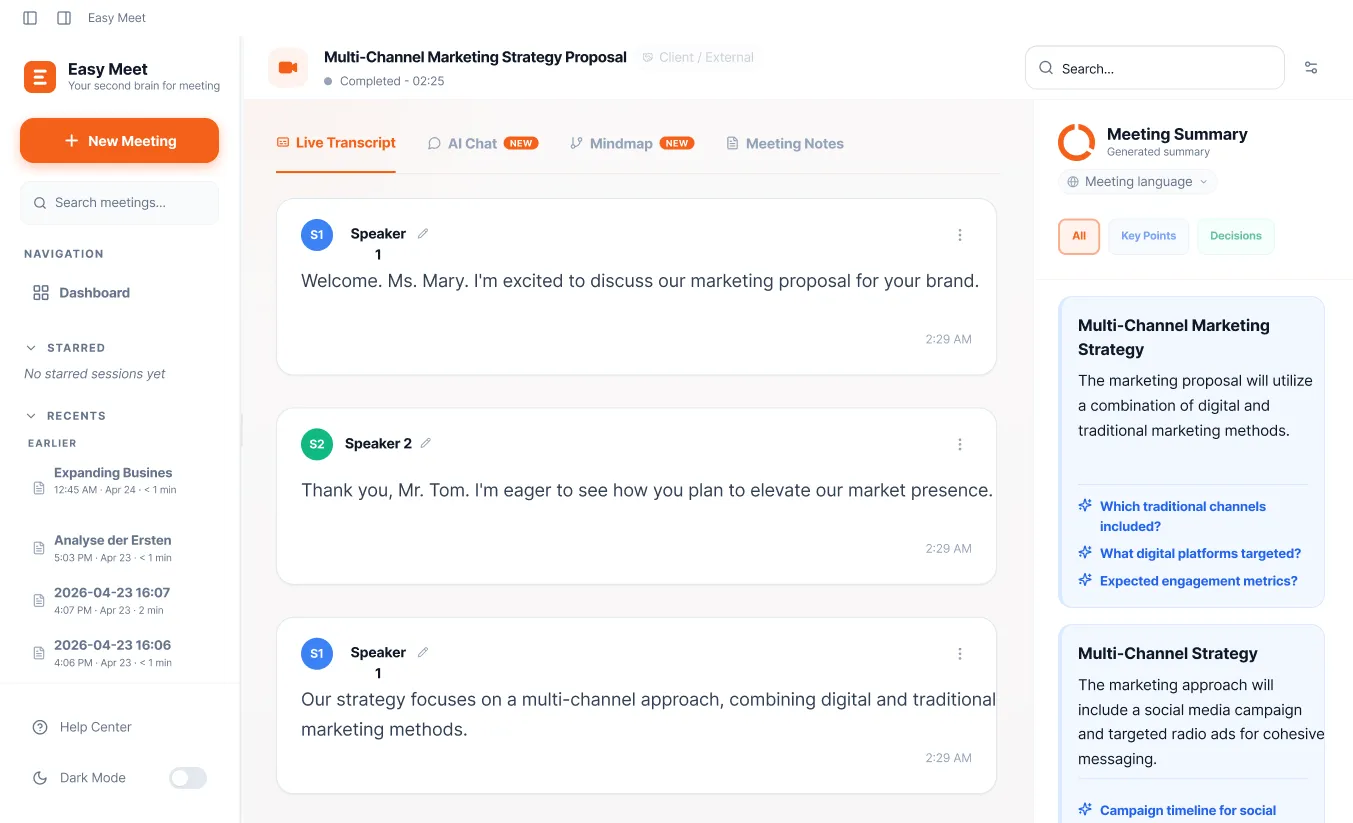
Live summaries refresh every ~30 seconds: decisions, action items, and risks captured the moment they happen. When the conversation shifts, Easy Meet surfaces 1–2 contextual suggestions so you respond sharply, even in English meetings.
Notes ready the moment you hang up.
Pick from 9 meeting types: standup, 1:1, retro, interview, and more. Easy Meet structures your notes accordingly. Edit in-app or export in one click. No 20–30 minute reconstruction.
Every other tool waits until you hang up. Easy Meet is working the whole time.
[03] SHOWCASE
See it in action.
Chat with your meetings
Ask questions about what was discussed, get instant answers from your meeting history, and never lose context again. Your AI-powered meeting memory.
- Multi-turn conversation grounded in your transcript
- Cite sources, know exactly when something was said
- Ask across multiple meetings at once
See the big picture
Automatically generate visual mindmaps from your meeting discussions. See how topics connect, identify key themes, and share interactive summaries.
- Auto-generated from your meeting transcript
- Interactive: expand, collapse, explore topics
- Export and share with your team in one click
Understand every word, live
Translate captions into your preferred language as they appear, no copy-paste, no switching tabs.
- Auto-detects the spoken language, no manual setup per speaker
- Translation appears inline below each caption, so the original is always visible
- Switch target language any time during the meeting without losing context
[04] PRIVACY
No meeting bot. No awkward notifications.
Just you and your meeting.
Easy Meet captures audio directly from your device: system audio and microphone. Nothing joins your call. No one knows you're using it.
 Easy Meet
Nothing joins your call
No "Easy Meet Bot has joined" notifications. Your meetings stay natural.
Data stays on your device
Transcripts and notes stored locally in SQLite, never on our servers.
Audio never recorded
Streamed to transcription, then discarded. Never written to disk.
Three steps.
No setup.
No calendar sync. No bot to invite. No configuration.
Open Easy Meet
Start a session in one click. No calendar sync, no configuration, no bot to invite.
Join your meeting
Captions and summaries appear in real time as the conversation unfolds. Easy Meet works silently in the background.
Hang up. Notes ready.
Polished, structured notes are waiting the moment you end the call. Edit, export, or share in one click.
Works in your language.
Run meetings in English, Vietnamese, Korean, Japanese, French, German, Spanish, Portuguese, Chinese (Mandarin), or Dutch, and get captions and notes that actually get it right.
- English
- Vietnamese
- Korean
- Japanese
- French
- German
- Spanish
- Portuguese
- Mandarin
- Dutch
Easy Meet routes each language to the transcription provider with the best accuracy for that language. Not "100+ languages" that fall apart in practice. Ten languages that work.
[06] WHAT USERS SAY
People who use Easy Meet for every meeting.
I just had an intense meeting with tons of information, and it captured everything. It scratches exactly the right itch. Meetings are so much easier now. Notion can't even compete.
★★★★★
UI/UX Designer
This is exactly the meeting note tool that I'm looking for. It simply works for me. No frustration, no set up, no anything. Just press a button and it just works.
★★★★★
VP of Product
Everything works perfectly. I use it for every single meeting now. It helps me take notes so much faster.
★★★★★
Senior Staff Manager
Everything's working great. I'm using auto-save to local folder and auto-send email, it just runs.
★★★★★
Senior Engineering Manager
Common questions,
answered honestly.
Complete notes.
Zero manual effort.
Ready the moment you hang up. Free with generous limits, no credit card required.
Older Mac (Intel)? For Macs made before 2021